Lebedev Studio Typograf
A free online tool from Art. Lebedev Studio that fixes Russian text for the screen: proper «guillemets», dashes and non-breaking spaces in one click.
What it is
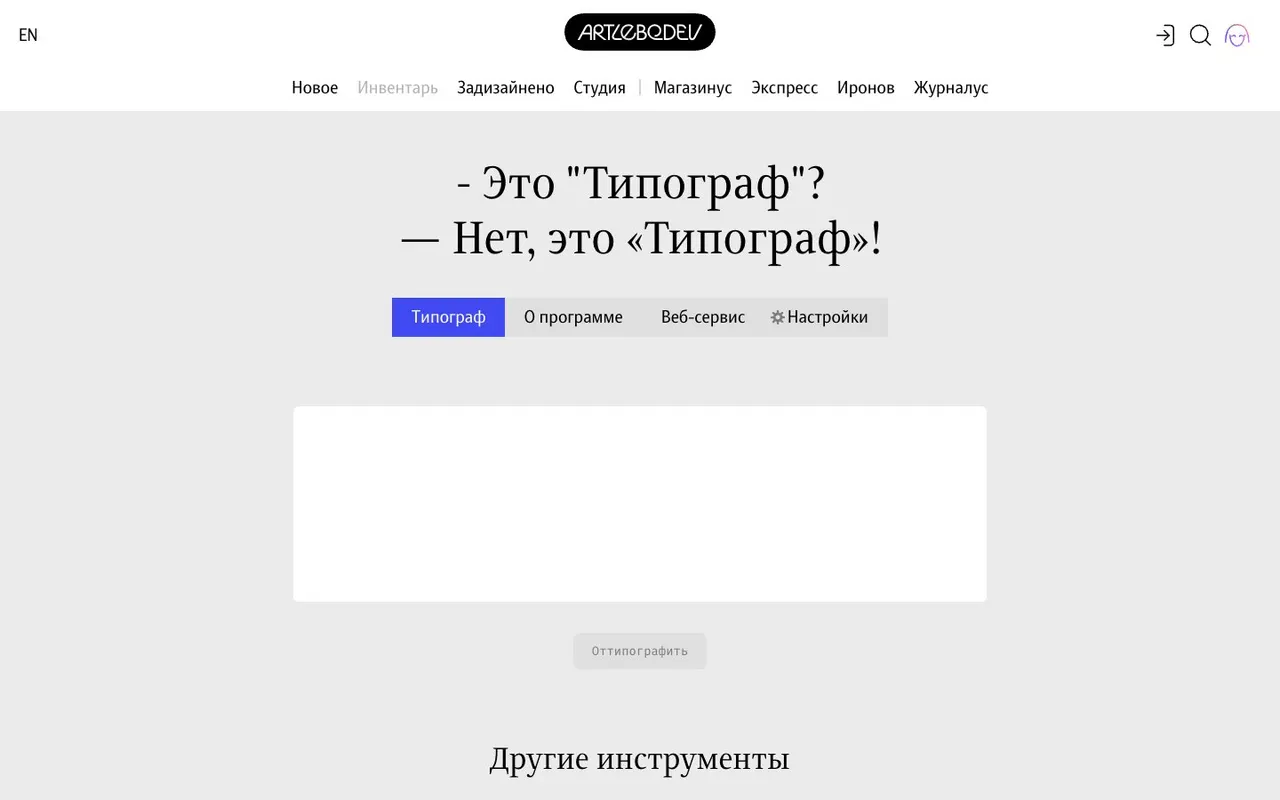
Typograf is a free online tool from Art. Lebedev Studio, the Moscow design firm, that prepares text for publishing on screen. Paste text into the box, hit the button, and you get a cleaned-up version: straight quotes become «guillemets» or „low-high quotes“, hyphens turn into dashes where a dash belongs, extra spaces disappear, and short prepositions and conjunctions get glued to the next word with a non-breaking space so they don't dangle at the end of a line.
According to the studio, every website it has built since 2000 has run its text through Typograf, and the tool has been free on its site since 2002. Several developers have worked on it over the years, and there's an XML web service with integration examples in different programming languages.
Why we picked it
Typography is one of those things you only notice when it's missing. Russian text with straight quotes, hyphens instead of dashes and a lonely "в" at the end of a line looks sloppy, even if a reader couldn't say why. Typograf fixes all of that in a second, with no software to install.
We like that it doesn't hide its logic. Settings let you choose first- and second-level quote styles, decide whether to output ready characters or HTML entities, and switch paragraph and line-break markup on or off. A preview mode highlights every change, so you see exactly what was fixed and quietly pick up the rules along the way. There's also an option to clean up text after OCR scanning.
The tool's About page links to the section of Lebedev's design guide on screen typography, worth reading if you want to understand the rules rather than just apply them.
A note on language: the interface is in Russian only, and the rules are built for Russian text. If you don't read Russian, it's still easy to use, since the main box and button are obvious, but the settings will need a translator.
Where to start
- Paste a paragraph from your own post or email and compare the result with the original.
- Turn on change highlighting to see each fix.
- In the settings, pick ready characters for social media and messengers, or HTML entities for page markup.
- If your text came from a scanned document, tick the post-scan cleanup option.
- Developers can look at the web service page to plug Typograf into their own system.
Who it's for
Editors, copywriters and bloggers who publish Russian text. Web developers and layout designers preparing content for sites. Designers dropping copy into mockups. And anyone writing letters, slides or posts in Russian who wants them to look tidy. Translators working into Russian will find it handy for a final pass.
Quick answers
Is Typograf free? Yes, you can use it on the site for free without signing up.
Can I choose the quote style? Yes, settings cover guillemets, German-style, English and other options for two levels.
Does it work with English text? It's designed around Russian typography rules, so for English copy its choices may not match English conventions.