Silk generative art
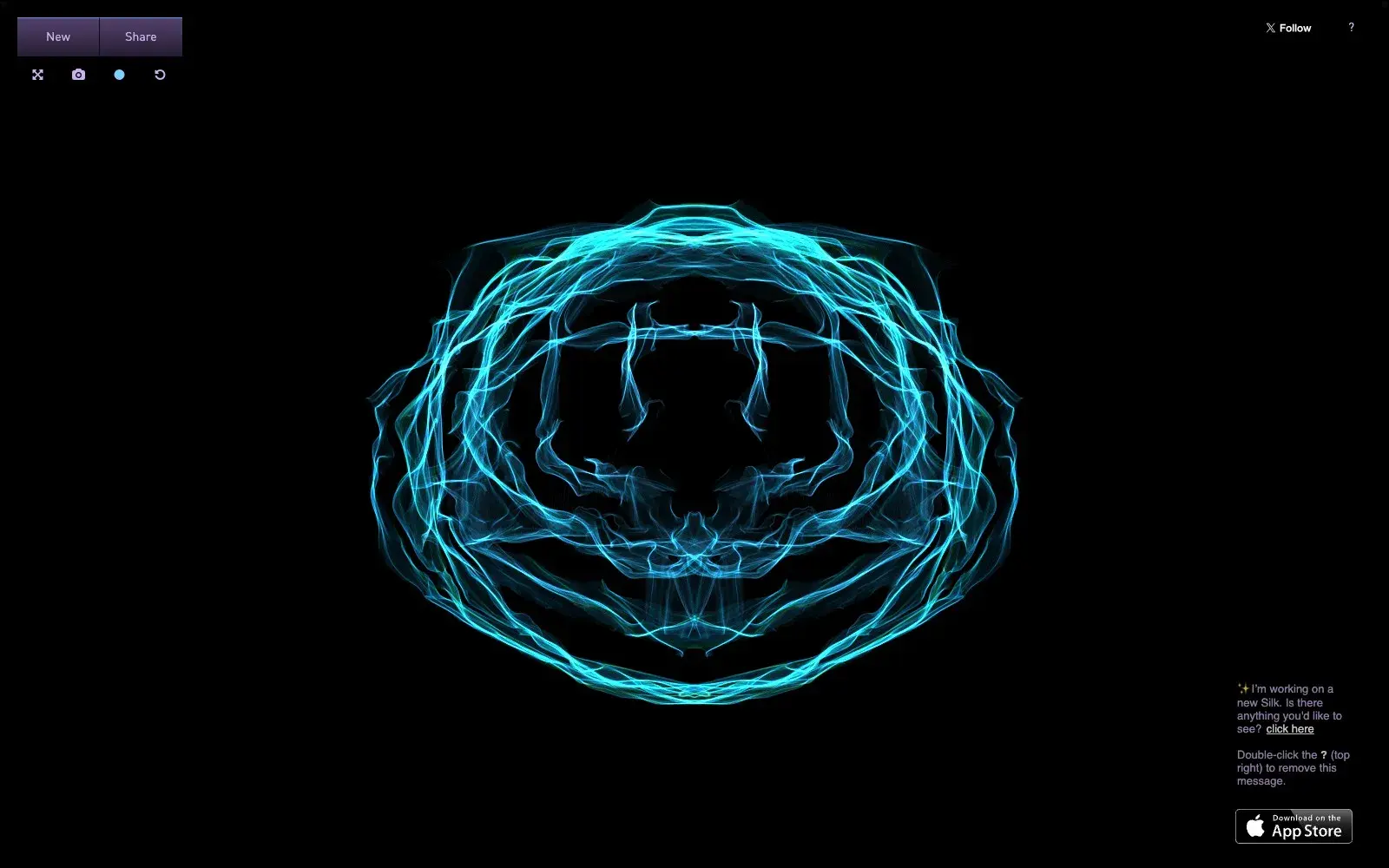
A generative drawing toy: move your mouse and glowing silk threads follow, mirrored into symmetrical patterns. A striking image in a minute, no skill needed.
What it is
Silk is a simple, lovely browser toy made by Yuri Vishnevsky. On a black canvas you drag your mouse, and translucent, glowing threads trail behind it like silk or smoke. Every stroke is mirrored instantly: you can choose the rotational symmetry, mirror across the centre, and make lines spiral inwards. Colours blend when you drag one onto another. A gentle soundtrack plays in the background, with music and sound by Mat Jarvis.
Why we picked it
It's one of those rare corners of the web where, with zero skill and about a minute, you end up with something you'd happily use as a wallpaper. Silk has been around for years and still holds up: it loads instantly, asks for no account and isn't trying to sell you anything. You can draw with intent — a flower, a mandala, a butterfly wing — or just wave the mouse around to the music and unwind. When you're done, save the image or share it via a link.
Where to start
- Drag from the centre outwards and see what appears.
- Press Space to start over and Z to undo a stroke.
- Change the symmetry settings and try "spiral towards centre".
- Blend two colours by dragging one onto the other.
- Go full screen — it looks far better that way.
Who it's for
Anyone who needs five quiet minutes in the middle of a busy day. Kids trying their first "magic" drawing tool. Designers hunting for backgrounds or a spark of inspiration. People who swear they can't draw but would like to make something beautiful anyway.
Quick answers
Do I need an account? No. You can start drawing as soon as the page loads.
How do I save my drawing? The site suggests right-clicking the thumbnail and choosing "Save Image As".
Can I reuse the images? The site states that art shared with Silk is licensed under Creative Commons.